Published release of Ventoy 1.1.18 toolkit, designed for creating bootable USB media that includes multiple operating systems. The program allows you to boot the OS from unmodified ISO, WIM, IMG, VHD and EFI images, without requiring unpacking the image or reformatting the media. It is enough to simply copy the set of images you are interested in onto a USB Flash with the Ventoy bootloader, and it will ensure loading of the operating systems located inside the images. At any time, you can replace or add new iso images by simply copying new files, which is convenient for testing and preliminary familiarization with various distributions and operating systems. The project code is written in C and distributed under the GPLv3 license.
Ventoy supports booting on systems with BIOS, IA32 UEFI, x86_64 UEFI, ARM64 UEFI, UEFI Secure Boot and MIPS64EL UEFI with MBR or GPT partition tables. It supports loading various versions of Windows, WinPE, Linux, BSD, ChromeOS, as well as images of Vmware and Xen virtual machines. The developers have tested work in Ventoy 1460 iso images, including various versions of Windows and Windows Server, several hundred Linux distributions, more than a dozen BSD systems (FreeBSD, DragonFly BSD, pfSense, FreeNAS, etc.).
In addition to USB drives, the Ventoy boot loader can be installed on a local disk, SSD, NVMe, SD cards and other types of drives that use FAT32, exFAT, NTFS, UDF, XFS or Ext2/3/4 file systems. There is a mode for automated installation of the operating system in one file on portable media with the ability to add your files to the created environment (for example, to create images with Windows or Linux distributions that do not support Live mode).
In the new version:
- Added experimental support for launching recovery images SteamOS.
- Added support for ISO images with the Syslinux bootloader.
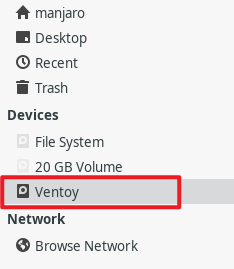
- Added the ability to remount partitions, which allows you to directly access partitions on the drive (for example, on a USB Flash) on which an ISO image downloaded via Ventoy is located directly from the sidebar in the graphical interface of running Linux distributions (previously, attempts to mount the partition containing the ISO image resulted in a “device busy” error). The partition associated with the ISO image is now created in Device Mapper as /dev/mapper/VentoyPart.

- Problems with loading Fedora distributions have been resolved 45-beta, LinuxConsole and Grml 2026.09.