
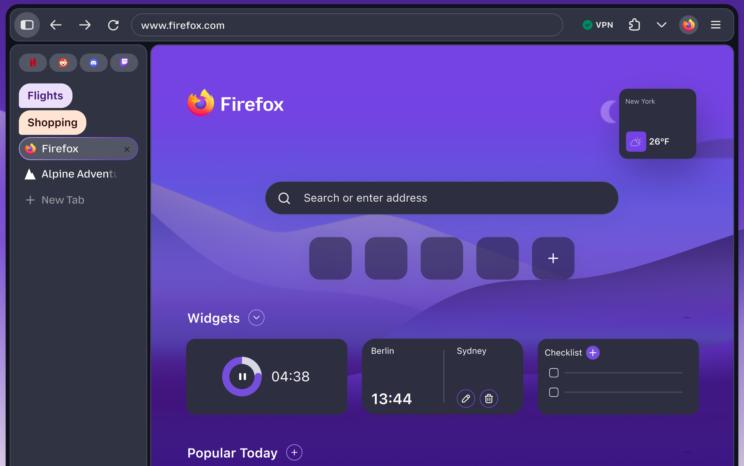
In the latest nightly builds of Firefox, a new user interface is available for testing as part of the Nova project. The main changes include several updates to improve the overall user experience:
- The tab buttons and address bar fields now have a rounded design.
- The tab bar, navigation bar, and sidebar have been placed in a separate highlighted area for easier access.
- The toolbar now features separate buttons for switching to private browsing mode and using the built-in VPN.
- Users can now easily access tab grouping, vertical tabs, and side-by-side viewing of two tabs.
- The option to enable compact mode has been reintroduced, making interface elements take up less screen space.
- Icons have been updated for a cleaner and more balanced look in both light and dark themes.
- The color palette has been changed to include shades of purple and lighter warm tones.
- A glow effect has been implemented around the active tab button for better visibility.
- The indents between all interface elements have been adjusted to improve overall layout.
/Reports, release notes, official announcements.