
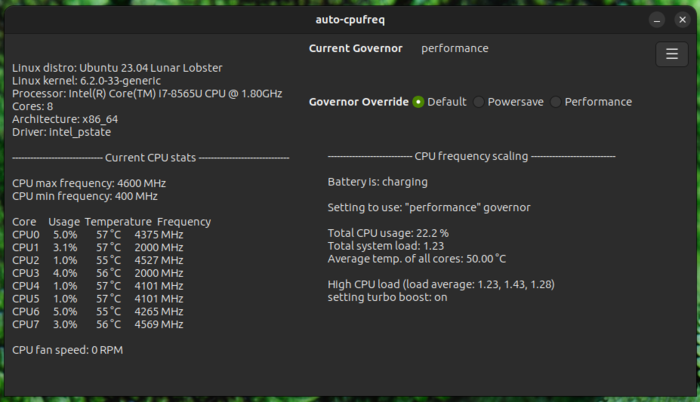
Published release of the utility auto-cpufreq 3.0.0, designed to automatically optimize CPU speed and energy consumption in the system. The utility monitors the state of the laptop battery, CPU load, CPU temperature and system activity, and, depending on the situation and selected options, dynamically activates energy saving or high performance modes. Supports work on devices with Intel, AMD and ARM processors. A GTK-based graphical interface or a console utility can be used for control. The code is written in Python and distributed under the LGPLv3 license.
Supported features include: monitoring the frequency, load and temperature of the CPU, adjusting the frequency and power consumption modes of the CPU depending on battery charge, temperature and system load, automatic optimization of CPU performance and power consumption.
Auto-cpufreq can be used to automatically extend the battery life of laptops without permanently cutting down any features. Unlike the TLP utility, auto-cpufreq not only allows you to set power saving modes when the device is running offline, but also temporarily enable high performance mode (turbo boost) when an increase in system load is detected.
In the new version implemented the ability to forcefully enable or disable turbo mode CPU (turbo boost) via graphics interface and command line (“auto-cpufreq –turbo={never|always|auto}”), regardless of battery charge level.
Also in the configuration file a battery_device parameter has been added to select a battery, in case the automatic detection of the default battery is incorrect (available batteries can be viewed in the /sys/class/power_supply/ directory). Added example configuration file for Nixos.
Additionally, you can note release utility TLP 1.9.1